Core Principles of Table Design in Interfaces
Exploring dynamic cell and column widths, content overflow, and horizontal scrolling.
If you use tables in your user interface (UI), keep several important points in mind:
Table cells are flexible elements
If you are not familiar with programming basics, you may not know that all table cells are flexible. This means their width and height can automatically change depending on the data they contain. Keep this in mind in your UI projects, especially when working with tables.
Show dynamic widths
To achieve this, set minimum and maximum widths for cells. This will help you create responsive, appealing interfaces that adapt to users' needs.
You can set a fixed minimum width for every cell.
For example, data cells can have a minimum width of 100 pixels and a maximum width of 250 pixels.
What happens if there is more data than the cell width allows?
To keep data from overflowing cells and disrupting the interface, apply overflow-prevention styles. You are probably familiar with approaches where a line is truncated and ends with .... You can implement something similar. For example, Microsoft recommends not truncating lines.
What a table consists of
Remember that every table consists of the following elements:
<table>— the container for the entire table.<caption>— the table title or caption. It can be placed at the top or bottom.<thead>— the group of table header rows that contains column names.<tbody>— the group of main table rows that holds the content.<tfoot>— the group of summary or footer rows.<tr>— a table row. (It is a row.)<td>— a regular cell — table data. (For<tbody>.)<th>— a regular cell — table data. (For<thead>.)
What if the table is large?
If the table is wider than your interface, add scroll.
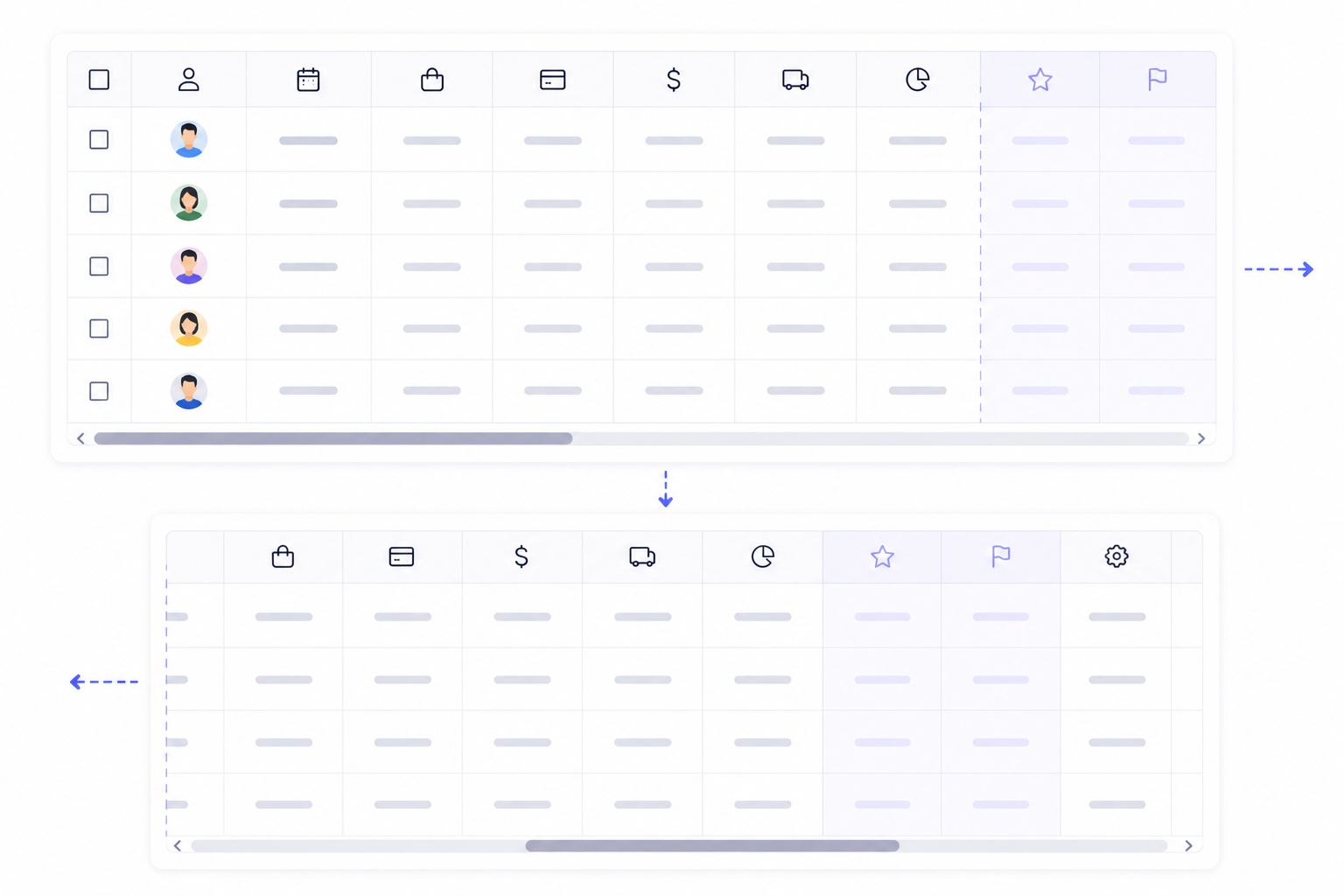
This will allow users to scroll the table horizontally.
A table is built from top to bottom
Do not create symbols or components in columns; create them only in rows.
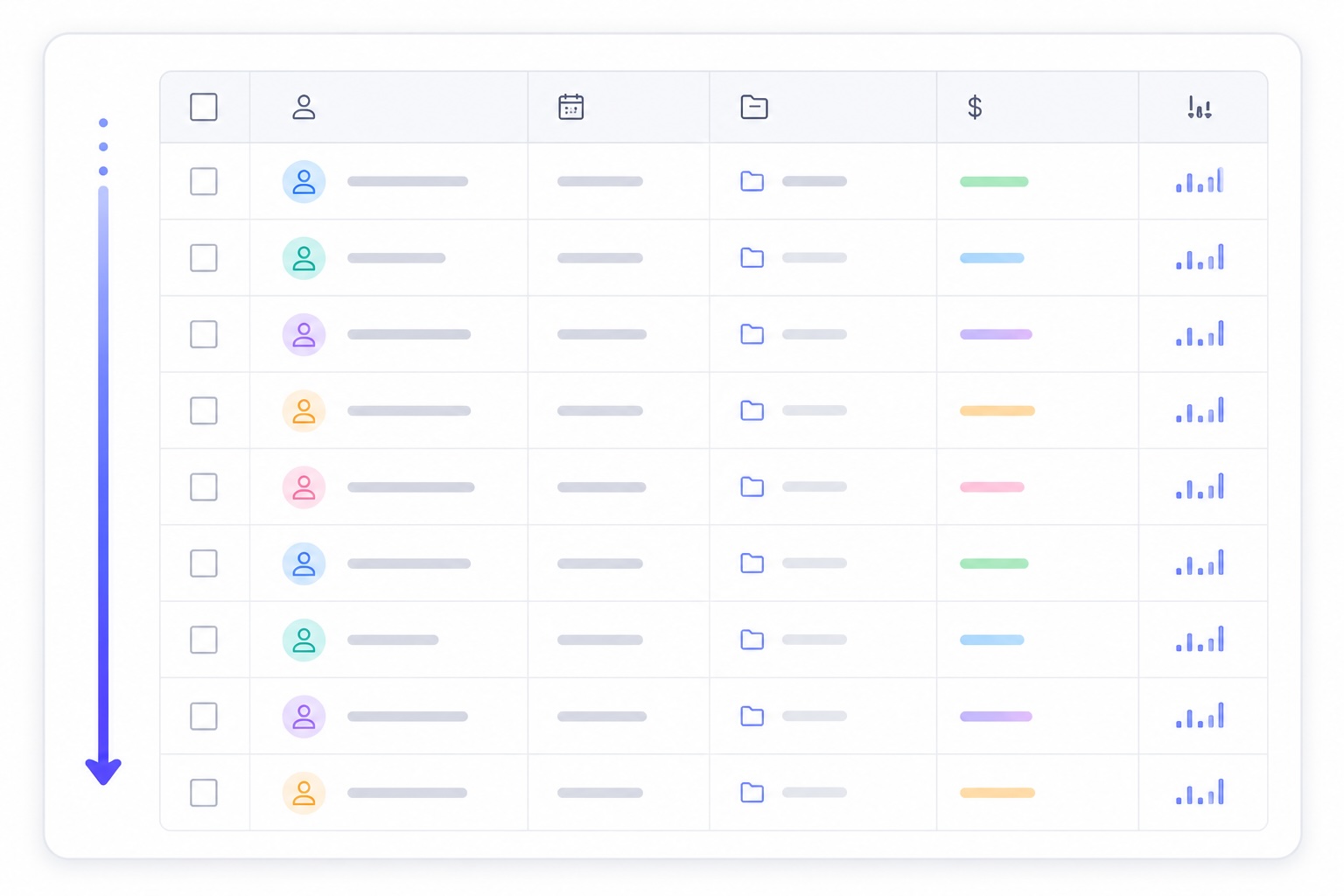
In real applications, tables are populated with data through loops, and it is rows—not columns—that are repeated. This is important to keep in mind when building a table in the correct order.
Dynamic tables
Avoid adapting the interface design each time for a specific table that may change or have several types. For example, if you are designing an interface for a data-recording system, tables in such projects may be dynamic.
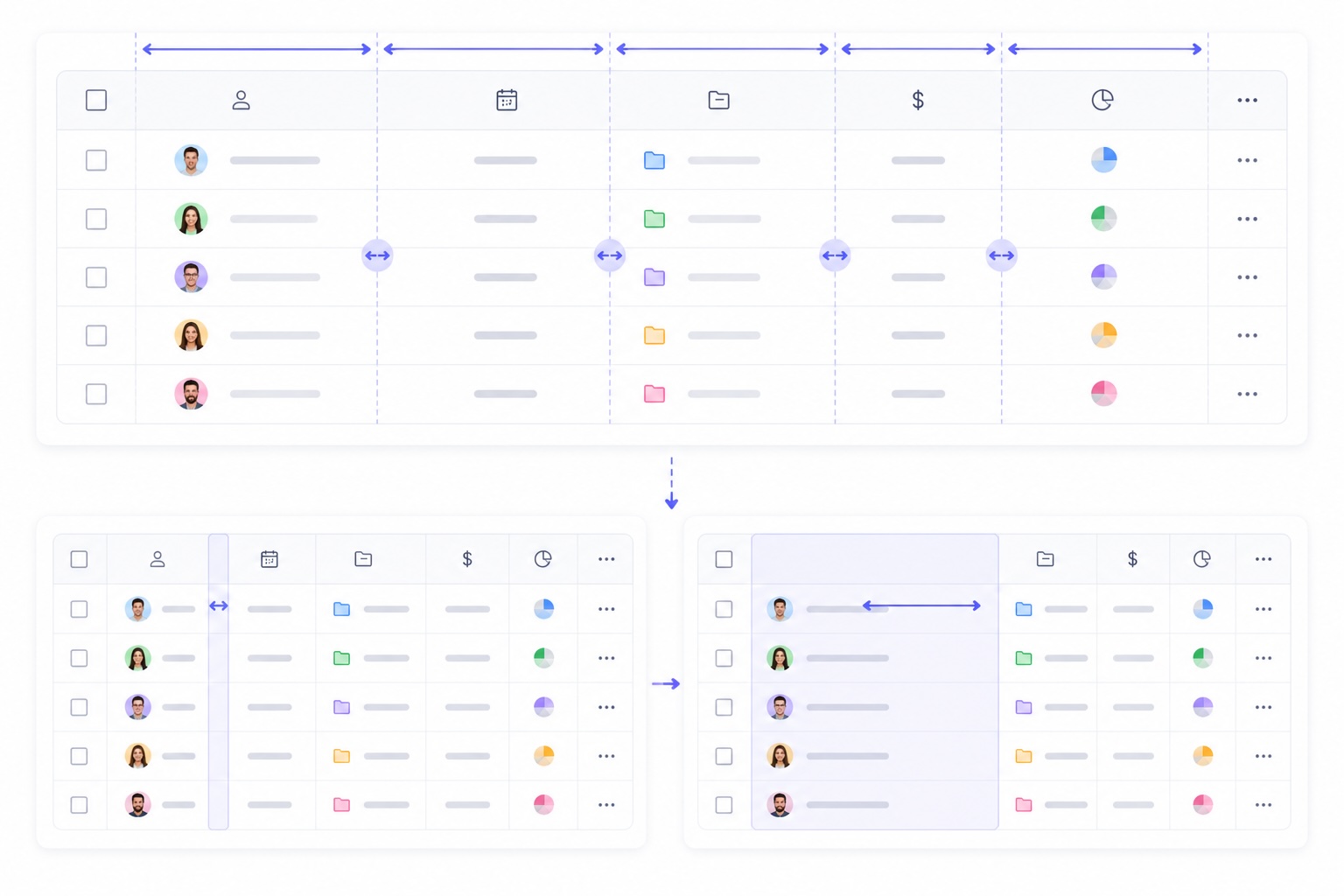
There can be many tables—dozens or even hundreds in complex architectures. Your task is to create a flexible table that visually represents dynamic data. This means you do not need to know in advance how many columns there will be or what size they will be.
Merging cells and columns
Remember that you can merge cells and columns in your interfaces:
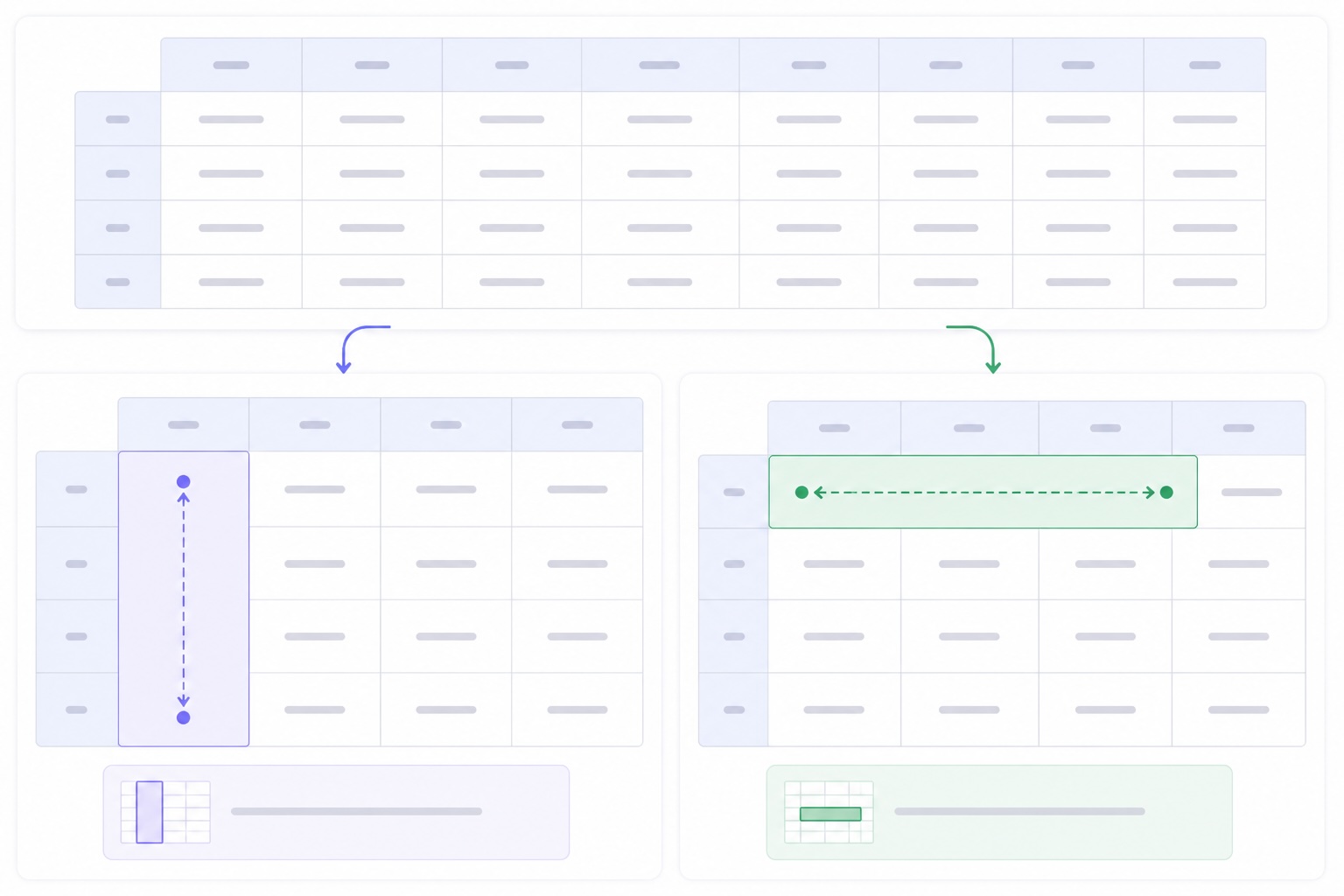
colspan— merges a cell horizontally;rowspan— merges a cell vertically.
Styles you can use in tables
You can apply almost any styles to tables. Here is a list of options you can use to visually style tables in your UI:
:first-child— the first element. This can be a cell, row, or column.:last-child— the last element. This can also be a cell, row, or column.:hover— hover styles. Applied to an entire row or cell.:focus— styles applied on click.
Striped table
To create stronger visual emphasis in tables, styles are often applied to even and odd rows, creating a zebra-stripe effect:
even— even elements: 2, 4, 6, 8...odd— odd elements: 1, 3, 5, 7...
This lets you distinguish even and odd rows in a table with different colors.
UX for tables
To make tables easier to use, you can let users resize columns themselves.
Summary
Working with tables in web design can be challenging, and many people make mistakes. However, by studying these rules and principles and understanding how tables are structured and work in code, you will be able to confidently create high-quality visual designs.