How to Get into Google, Yandex, and Bing Search Faster After Launching a Website
After launching a website, add it to Google Search Console, Yandex Webmaster, and Bing Webmaster. This will help search engines discover and index your site faster, and it will also give you access to statistics on impressions, clicks, rankings, and technical errors.
Google Search Console
After you launch your website, make sure you have connected Google Search Console.
- This is necessary so that the site appears in Google Search.
- This is necessary so that the site becomes visible and can participate in search results.
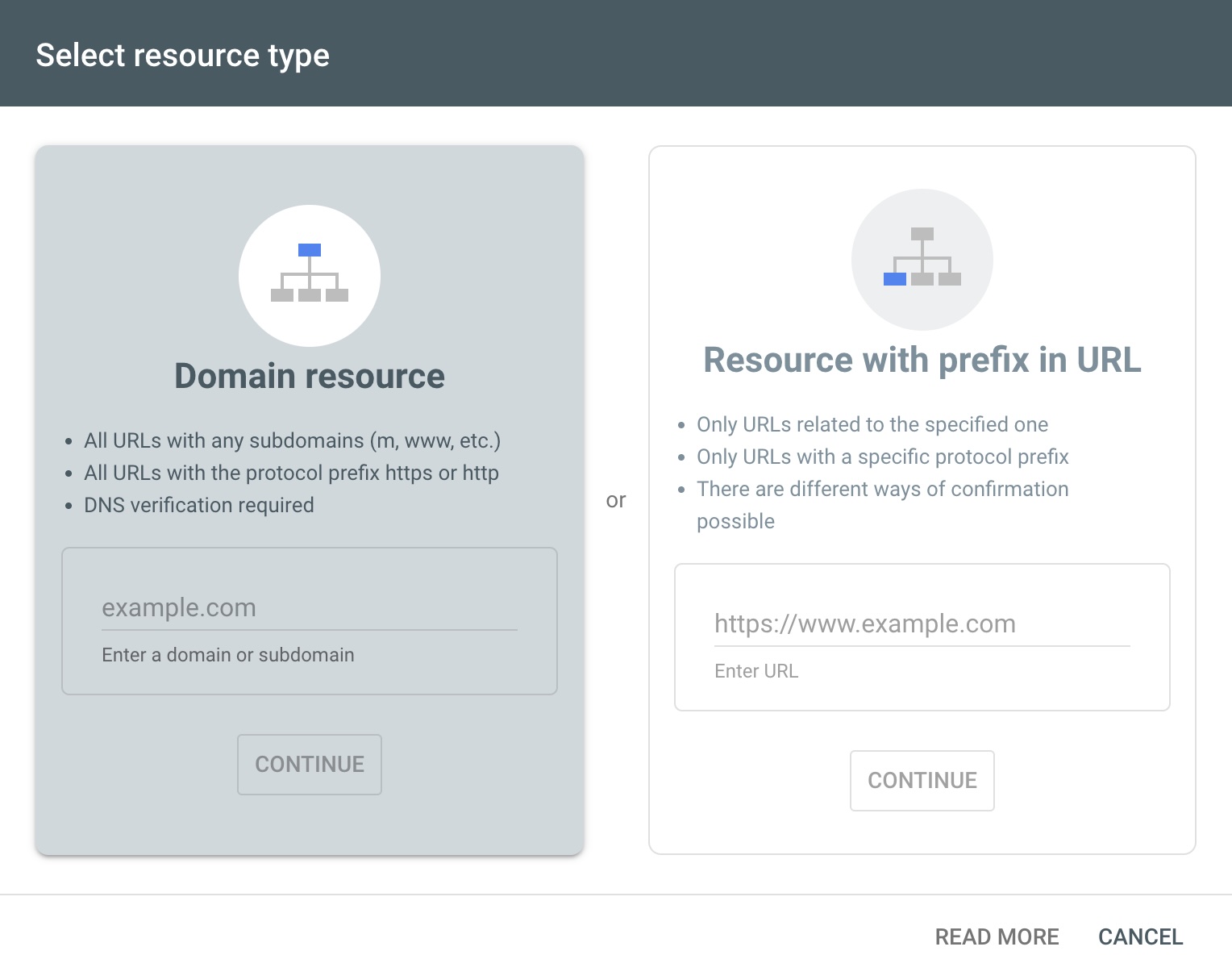
Tool link: https://search.google.com/
Yandex Webmaster
Do the same for Yandex Webmaster if you are promoting your site in Russia. This is also required so that the site becomes visible and can participate in search results.
Tool link: https://webmaster.yandex.ru
Bing Webmaster
Do the same separately for the Bing.com search engine, because Bing uses its own database.
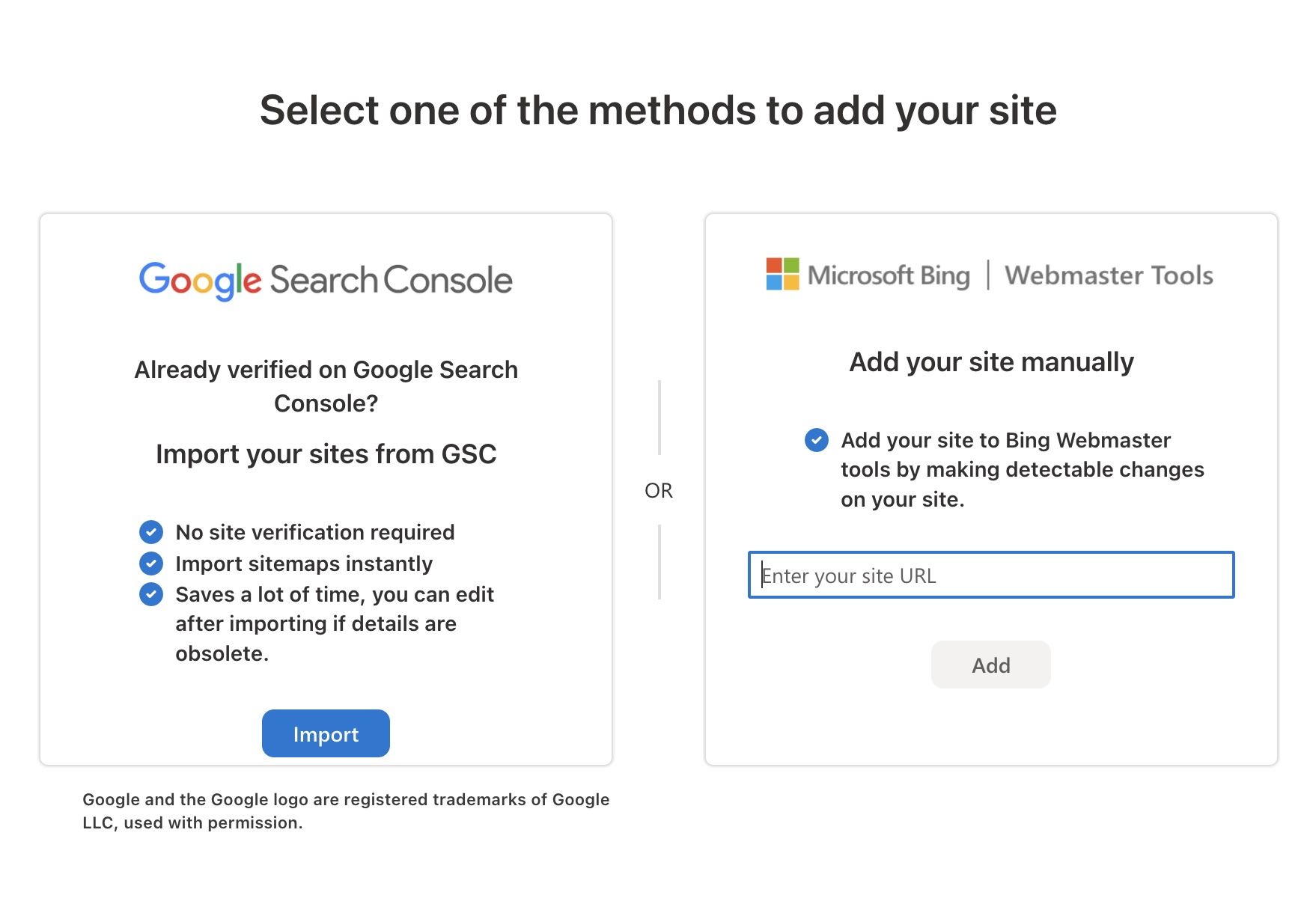
Bing Webmaster Tools link: https://www.bing.com/webmaster/
You can also skip this step: the site will still appear in search if you have not explicitly blocked it in Robots.txt.
But by manually adding your sites to Google Search Console, Yandex Webmaster, and Bing Webmaster, you will reliably add your site to the search index as quickly as possible.
- Usually, this takes only 24 hours.
Also keep in mind that if you want to track and monitor which position your site is in or how many views it gets online, you will need to add your site to the Webmaster panel of the search engine that matters to you.
Be Sure to Verify Ownership of Your Website
To add your site to Google Search Console, Yandex Webmaster, or Bing Webmaster Tools, you will need to verify ownership of your website and confirm that you are the owner.
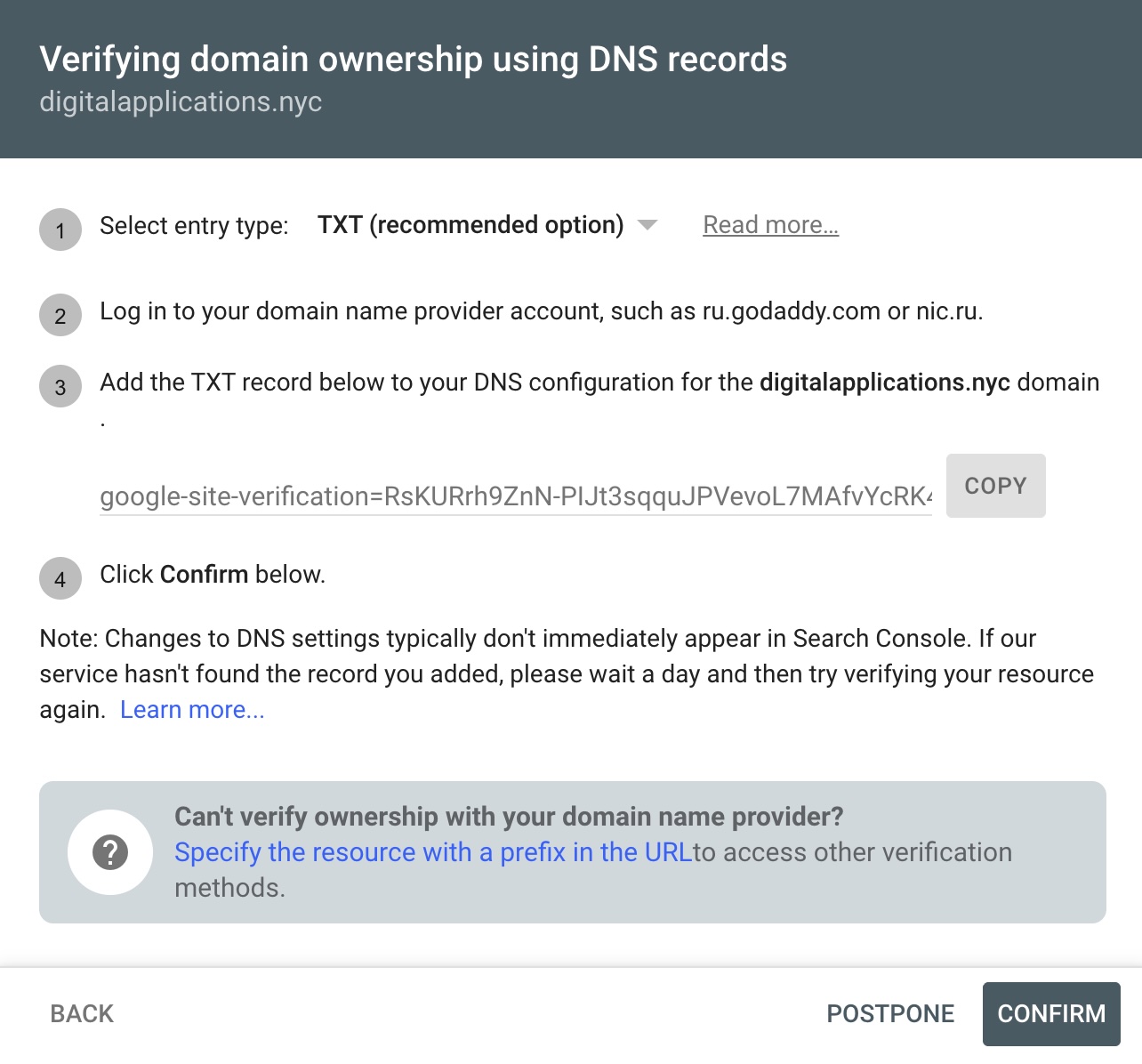
This is done by adding a text record in your domain settings (a domain is the site name, for example: www.example.com). You can update these settings in the account dashboard of the registrar of your site name (domain).